

The Ultimate Privacy Laptop Setup to Pair With Our Privacy Suite
If there’s one thing I’ve learned helping freelancers, families and small businesses take back control of their digital lives, it’s this: There really isn’t any need for privacy to be a luxury any more – but it shouldn’t be as hard as it is to obtain.
We’ve been conditioned to accept that every device, every browser, every app, and every tiny click needs to be recorded, analysed, tracked, profiled, and sold back to us. And honestly? It’s exhausting. It pulls focus from your work, your well-being, and your ability to move through the world with confidence.
So today I want to give you something grounding.
Something practical.
Something simple and powerful enough to match the privacy tools you’re already using.
The ultimate privacy-first laptop setup.
A setup that protects you quietly in the background so you can get on with your work — without fear, without noise, without feeling “watched”.
Why This Privacy Laptop Setup Matters
Because privacy is freedom.
Because focus is getting harder and harder to achieve with advertising and Upgrade to the next tier pop-ups.
Because your laptop should work for you, not the other way around.
And because the people I build for – freelancers, independents, families, small business owners deserve the same level of protection as big companies with big resources.
This setup is built around my core values: Privacy, control, honesty, and empowerment.
No fluff.
No jargon.
Just a clean, strong foundation you can trust.
Start With Hardware That Respects You
You don’t need a £3,000 machine to be private. You just need hardware that respects you.
Recommended Privacy-Friendly Laptops
ThinkPad X1 Carbon / Slim 5
Rock-solid. Linux-friendly. No nonsense. Physical webcam shutter.
Perfect if you want full control.
Apple MacBook Air/Pro (M-Series)
If you prefer simplicity and reliability. macOS gives excellent built-in security with minimal hassle.
Purism Librem or System76 (Maximum Privacy)
For the people who want true “no compromise” computing, open-source firmware and hardware kill switches.
Essential Privacy Accessories
Webcam cover (always)
Privacy screen filter (essential in cafés or trains)
Encrypted external drive
Laptop lock if you work in shared spaces
These tiny additions stop prying eyes before they even get close.
Choose an Operating System That Respects Your Privacy
Use whatever fits your workflow, just don’t settle for whatever Big Tech preloads onto the machine.
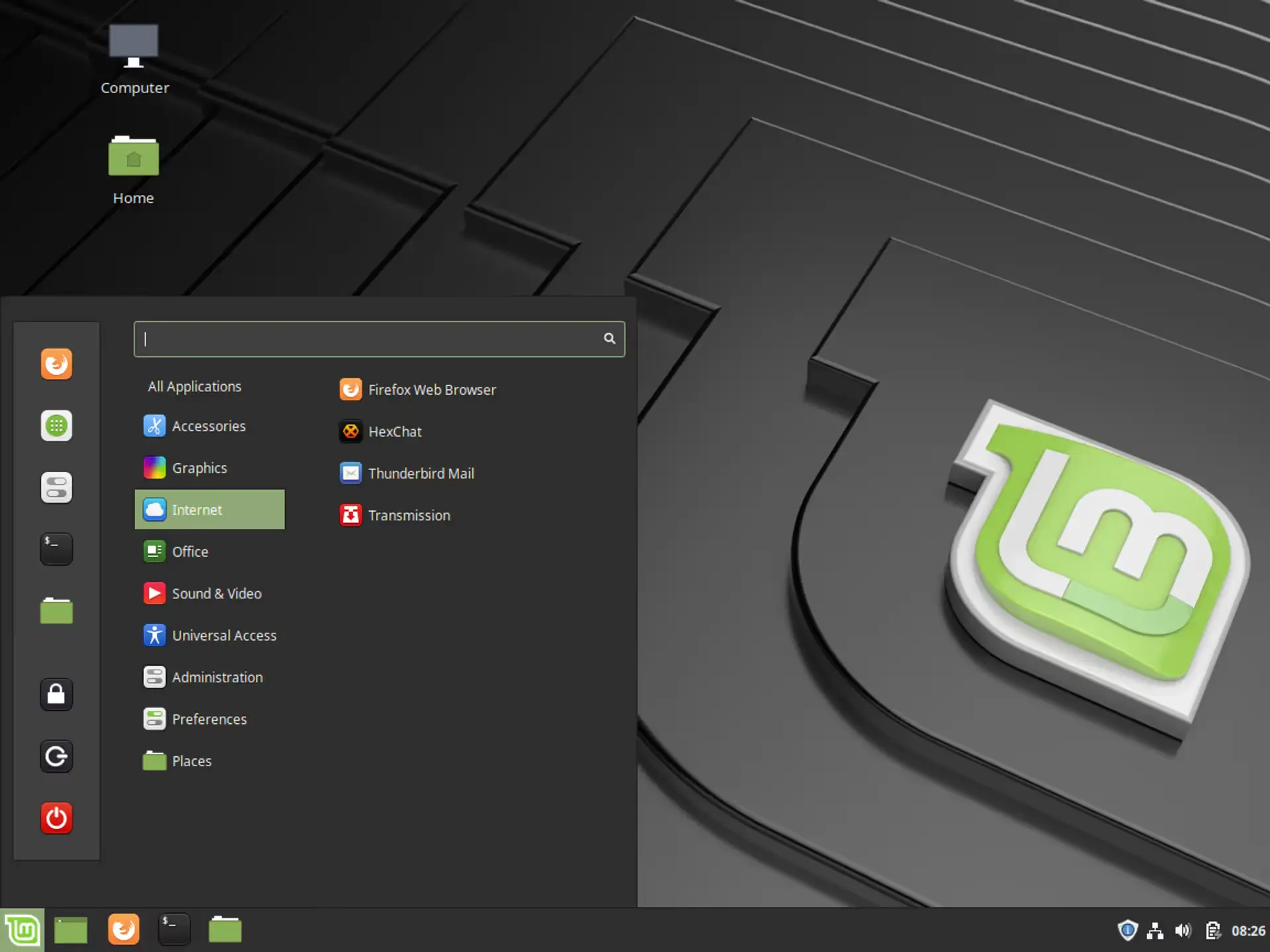
Linux (Linux Mint with the MATE desktop (My desktop of choice), Fedora, Ubuntu (easiest Windows > Linux path. Just avoid using snaps)
Full control, minimal telemetry, perfect for privacy enthusiasts.
macOS
Secure, polished, stable – great balance of security and usability.
Windows 11 (only if you harden it properly)
Possible, but not ideal unless you must run it. Make sure to turn of all the Telemetry (the automated process of collecting, measuring, and transmitting data from remote or hard-to-reach sources to a central location for monitoring, analysis) as it likes to talk home…A lot.
Encrypt Everything
Full disk encryption isn’t optional; it’s the foundation.
Linux: LUKS / dm-crypt
macOS: FileVault
Windows: BitLocker
If your laptop is ever lost, stolen or seized, encryption is what stands between you and catastrophe (Our Private-Cloud tools side-step this issue by storing and syncing your files to your central server. But, if it physically on the laptop – Encrypt it).
Lock Down Your Network
This is where most people accidentally leak half their life.
Use a trusted VPN (not a free one — ever)
Enable your firewall
Use privacy-focused DNS like 1.1.1.1 or NextDNS
Never join a public Wi-Fi without protection
Your privacy suite integrates perfectly here — your data stays yours, wherever you are.
“Use a trusted VPN (not a free one - ever)”
Why I Say This
When I say never use a free VPN, I’m not being dramatic — I’m being practical.
A VPN’s entire job is to keep your browsing private, hide your IP address, and prevent your internet provider, advertisers, and trackers from building a profile of you.
Here’s the truth:
If you’re not paying for the VPN, you are the product.
It’s the same old pattern — free services harvest your data because they need to make money somewhere.
Free VPNs often:
Log every site you visit
Inject ads
Sell your data to advertisers
Throttle your speed
Offer weak or outdated encryption
Outright spyware dressed as “security tools”
Which, let’s be honest, defeats the entire point of using a VPN in the first place.
A privacy tool that quietly sells your browsing history?
Not acceptable.
So what counts as a “trusted VPN”?
A trusted VPN is not about brand hype, it’s about policies, transparency and track record.
A trustworthy VPN should have:
✔️ A strict no-logs policy
Not marketing fluff – an independently audited, legally tested no-logs policy.
✔️ Open-source apps or audited code
So anyone can check what the software is actually doing.
✔️ Based in a privacy-friendly country
Not under Five Eyes surveillance jurisdictions.
✔️ Accepts anonymous payments
(Not required, but shows commitment to privacy.)
✔️ Clear leadership and no shady investors
Simple, honest, transparent. No mystery parent company in a tax haven.
Is a VPN always required?
No.
A VPN is a tool, not magic.
You don’t always need one.
You do need one when:
You’re on public Wi-Fi
You don’t want your ISP building a profile on you
You run your own self-hosted privacy suite and want secure remote access
You want to prevent location-based tracking
You want encrypted tunnels between devices
You don’t need one for:
Your local private network
Replacing good digital hygiene
Hiding illegal behaviour (not what we’re about)
Which VPNs do I consider trustworthy?
I’ll give you a short, honest list – no affiliate links, no backhanders, no nonsense:
Top tier:
Mullvad – privacy gold standard, account numbers instead of emails, Swedish transparency.
IVPN – independent, transparent, audited, small team and very trustworthy.
Very good:
Proton VPN
Mozilla VPN (powered by Mullvad)
Avoid:
Any “free” VPN
Any VPN owned by a big tech conglomerate
VPNs with unclear ownership (looking at you, some app-store “premium” VPNs)
Anything with heavy influencer marketing
Bottom line:
A VPN is like hiring a bodyguard.
If the bodyguard is free…
They’re not protecting you – they’re watching you.
What about Self-hosted VPNs?
Absolutely – We love them. It’s how we run our business: Own your data, Own your infrastructure, Own your privacy.
Self-Hosted VPNs - The Ultimate Level of Control
When you self-host a VPN, you’re not trusting a company, investors, or unknown infrastructure.
You’re trusting your own server – either at home or on a rented VPS.
A self-hosted VPN creates a secure, encrypted tunnel straight into your private network, meaning:
You can access your self-hosted tools remotely
You don’t expose anything to the public internet
You don’t rely on a third-party VPN company
Your internet traffic isn’t logged or analysed
Your privacy suite becomes accessible anywhere, securely
This is the closest you can get to owning your entire digital life.
So why did I say “use a trusted VPN”?
Because there are two different purposes:
1. A VPN for remote access (self-hosted – perfect)
This is for securely accessing your private cloud, password vault, calendars, files, journaling system, dashboards, business tools…
Everything in your privacy suite.
This should be self-hosted.
Full stop.
2. A VPN for privacy from your ISP (commercial VPN)
A self-hosted VPN does NOT hide your browsing from your internet provider — it just encrypts it until it reaches your server.
So if you want:
Your ISP not profiling your behaviour
Your location to appear somewhere else
Your traffic to mix into a big anonymity pool
…that’s when a trusted third-party VPN is still useful.
You can (and should) use both.
They do different jobs.
Best Options for Self-Hosted VPN
Here are the most reliable, modern, safe, easy-to-maintain options:
Tailscale (Zero-config, ridiculously good)
If you want something that “just works” and matches your privacy suite perfectly, Tailscale is your friend.
No port forwarding
No firewall headaches
Everything peer-to-peer
Built on WireGuard
Can run entirely on your own devices
MagicDNS + ACLs
No server or VPS required
This is the cleanest, calmest experience for freelancers and families.
WireGuard (The gold standard protocol)
You can self-host WireGuard:
On a VPS
On a Raspberry Pi
On a router
On a dedicated server
Inside Docker
It’s ultra-fast, ultra-secure, with a tiny attack surface.
WireGuard is the foundation for nearly every modern VPN product.
OpenVPN (Older but still rock-solid)
If compatibility with older devices matters, OpenVPN still has its place.
Slower, heavier, but trusted for decades.
Useful for:
Legacy clients
Environments that require proven protocols
Devices that can’t run WireGuard
For simplicity and ease of support → Tailscale
Zero-touch, minimal stress, everything just works.
For ultimate control and transparency → Self-hosted WireGuard
Fast, clean, fully under your control.
For legacy compatibility → OpenVPN
When not to use a commercial VPN
If you only want:
Secure access to your privacy suite
Access to Nextcloud, Vaultwarden, DokuWiki, Jellyfin
Private family remote access
Secure connections between laptops, phones, home servers
…then self-hosting wins every single time.
When you need both (self-hosted + commercial)
If you want:
IP address masking
location shifting
ISP anonymity
Public Wi-Fi privacy
Anonymity pools
…then add Mullvad or IVPN on top of your self-hosted VPN.
This gives you the full privacy stack:
Self-hosted VPN = Secure access to your own tools
Trusted VPN = Privacy from your ISP + location privacy
Browse Like a Ghost
Your browser is the biggest surveillance device you own.
Fixing it changes everything.
Use:
Firefox (with privacy hardening) or
Brave
Add:
uBlock Origin
Privacy Badger
HTTPS Everywhere
Firefox Containers or separate profiles
Split your online life into “compartments”, i.e. work, personal, admin, banking – so nothing bleeds into anything else.
Private Communication & File Handling
This is what our Private-Cloud and File-Cloud tools were designed for.
Otherwise Use:
Signal for messaging
ProtonMail / Tutanota for email
Syncthing for file syncing
GPG or VeraCrypt for sensitive documents
Your data should move only between devices you control.
Never anyone else’s.
Stay Updated, Stay Protected
Updates aren’t annoying – they’re armour.
Turn them on. Let them do their job.
Also:
Disable things you don’t use (Bluetooth, sharing, remote access)
Use AppArmor or SELinux on Linux
Avoid installing random third-party apps
Simplicity = security.
Build a Backup System That Would Make a Spy Proud
Use:
Encrypted offline backups
Versioning (our privacy suite supports this)
Multiple restore points
A backup in a completely separate location
Peace of mind comes from knowing your data survives even when your laptop doesn’t.
Daily Habits That Keep You Safe Without Effort
Lock your device when you stand up
Don’t trust public Wi-Fi
Use strong passwords and a password manager
Review permissions regularly
Live with intention online
Privacy isn’t paranoia.
It’s self-respect.
The Extreme-Privacy Add-Ons (Optional But Fun)
For the people who like to go all-in:
Hardware kill switches
Faraday bag
Air-gapped secondary laptop
Secure boot keys customised to you
Is this overkill for most people? Yes.
Is it brilliant? Also yes.
Final Thoughts - Privacy Should Feel Calm, Not Complicated
Everything I build, everything I recommend, comes back to a simple philosophy:
Technology should give you freedom, not anxiety.
This laptop setup pairs perfectly with your privacy suite because they share the same values:
privacy, control, simplicity, and freedom.